


CineMaster Pro® - 4K Smart Projector
CineMaster Pro® - 4K Smart Projector
BUNDLE UP & SAVE BIG
Couldn't load pickup availability
-
Ordered
- - -
Order Ready
- - -
Delivered
Shipping Policy
Shipping Policy
We ship worldwide. Order processing takes 1-3 business days before shipment. Once your item/s is dispatched, the estimated delivery time is:
- USA: 5-12 business days
- UK: 5-18 business days
- Australia: 5-18 business days
- Canada: 5-18 business days
- EU: 6-18 business days
- Worldwide: 7-18 business days
Return & Refund Policy
Return & Refund Policy
We offer a hassle-free 30-Day 100% Money Back Guarantee from the time of delivery with free returns inside the US & Worldwide.
For more information & international returns.
If you are not satisfied with the product, just reach out! No risk purchases are always the best! Sale items are final sale.

CineMaster Pro® - 4K Smart Projector


CineMaster Pro® - 4K Smart Projector
Bringing moments of relaxation to your family.

100-inch World Cup Nights In Your Backyard
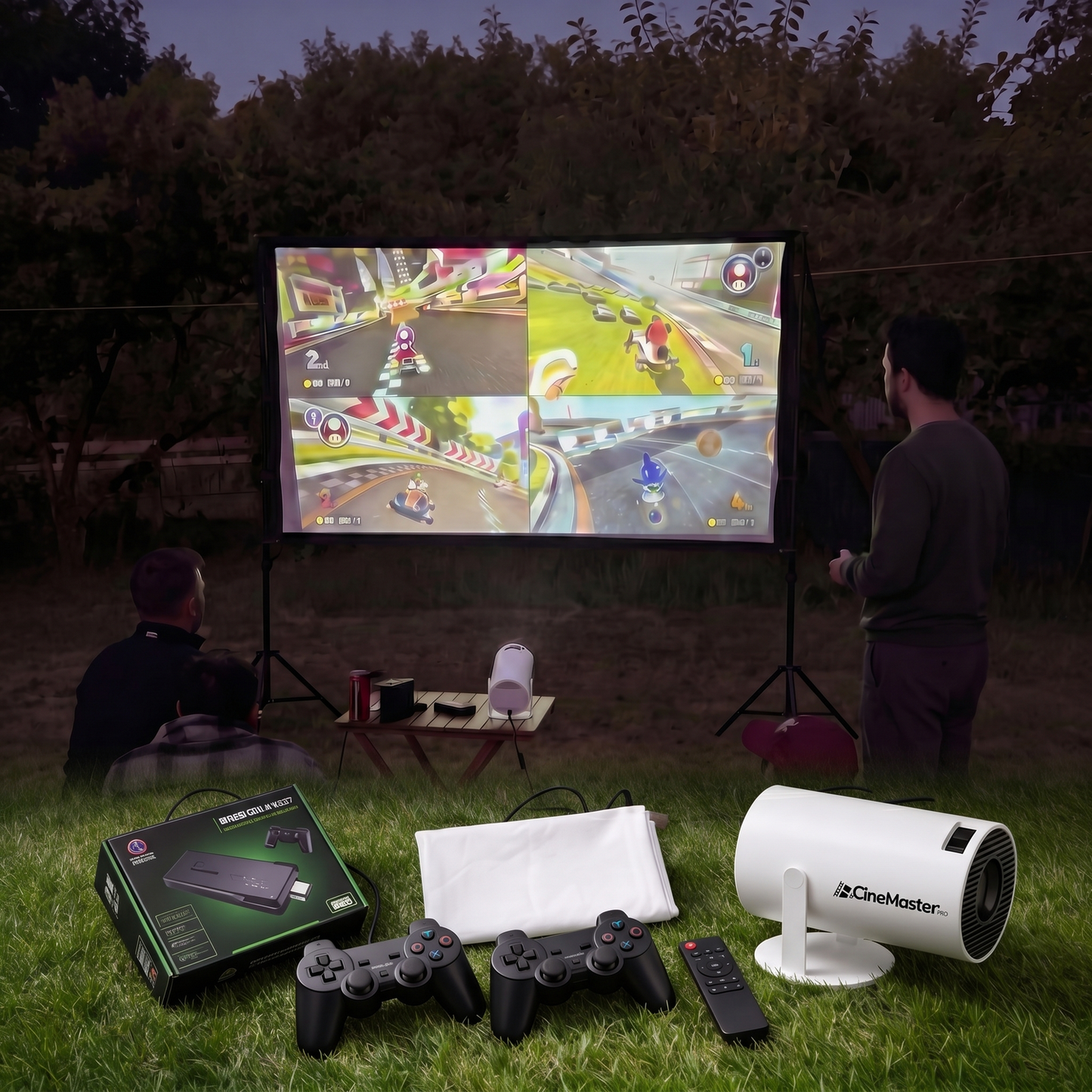
With the CineMaster Pro, transform your backyard into a stunning personal stadium in minutes. Whether it’s match day, movie nights with friends, or playing Mario Kart on a 100-inch screen with our free gaming stick, enjoy a truly massive experience—anywhere you want.

Portable Sceen + Gamingstick & 2 Controllers for halftime fun.
Only during our World Cup Sale you’ll get a free 100-inch projector screen, a gaming stick loaded with 12,000 retro games like Mario Kart and Street Fighter, plus 2 controllers. So halftime with friends and family never gets boring again
55-Inch TVvs. 100-Inch CMP
Same room. Same sofa. Same World Cup match. But one setup fills 55 inches. The other fills your entire wall. Swipe and see what you've been missing.


CineMaster Pro® - 4K Smart Projector
QFA?
Can I use a Fire TV Stick with my CineMaster Pro® to stream content?
Can I use a Fire TV Stick with my CineMaster Pro® to stream content?
Yes, it is possible to use a Fire TV Stick with the CineMaster Pro®. The Fire TV Stick connects to the HDMI port of the projector, allowing you to stream content from various apps like Netflix, Amazon Prime Video, and more.
What are the connectivity options for the CineMaster Pro® (HDMI, USB, Bluetooth, etc.)?
What are the connectivity options for the CineMaster Pro® (HDMI, USB, Bluetooth, etc.)?
The CineMaster Pro® offers a wide range of connectivity options to ensure compatibility with various devices and enhance your viewing experience. Here are the main connectivity options available:
- HDMI Ports: Allows you to connect external devices such as laptops, gaming consoles, Blu-ray players, and streaming sticks like Fire TV Stick or Chromecast.
- USB Ports: Enable you to connect USB drives for playing media files directly from the projector. Some models also support connecting external peripherals like keyboards or mice.
- Bluetooth: Facilitates wireless connections to Bluetooth speakers, headphones, and other Bluetooth-enabled devices for better audio quality.
- Wi-Fi: Supports wireless internet connection for streaming content directly from online services like Netflix, YouTube, and other apps without the need for additional devices.
How easy is it to set up and use the CineMaster Pro® projector?
How easy is it to set up and use the CineMaster Pro® projector?
Setting up the CineMaster Pro® is super easy! Just plug in the things you want to watch, turn on the projector, and you're all set to start enjoying your favorite shows and movies. The buttons on the remote control are easy to use, so you can find everything you need without any trouble.
Can I watch Sky Sports on the CineMaster Pro®?
Can I watch Sky Sports on the CineMaster Pro®?
Yes, you can watch Sky Sports on the CineMaster Pro®. The Sky Sports app is pre-installed, allowing you to stream your favourite sports events directly on the projector.